
Keeping a passage open
The tooltip normally closes when you move away. Pin it and it stays, so you can read the passage while you write a reply or follow the rest of the page.
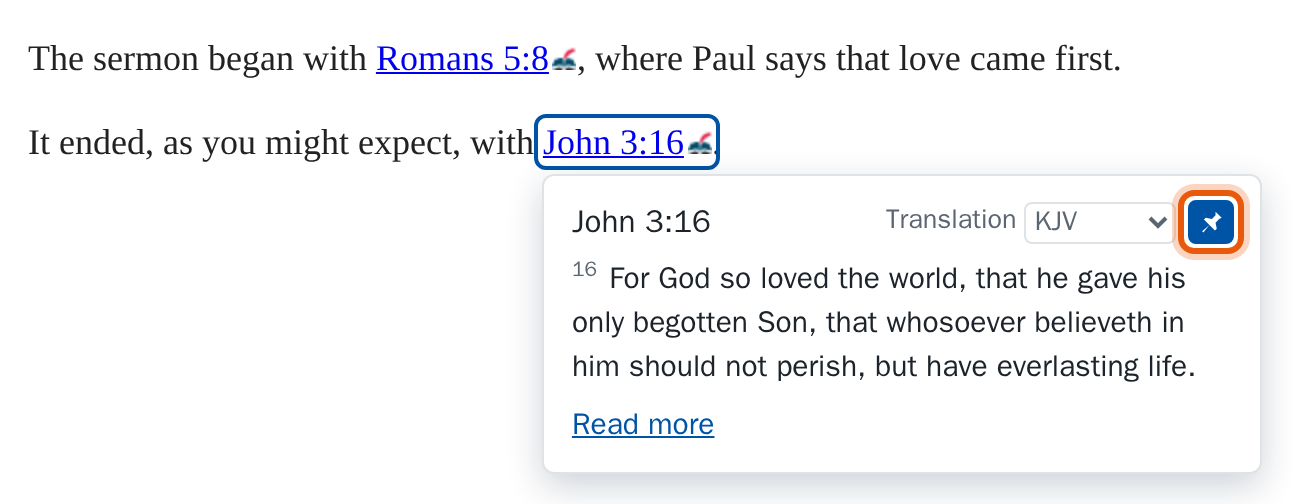
Pinning
Click the pin (its name is Keep open), to the right of the translation menu. While the tooltip is pinned:
- it stays when the pointer leaves, when you click or tap elsewhere, and when you type in a text box;
- other references open their own tooltips beside it, and tapping one doesn't follow it (see Pinning several);
- it stays in the window when you scroll its link out of sight;
- changing the translation keeps it pinned.
Pinning several
You can pin as many tooltips as you like. While some are pinned, pointing at another reference opens one more tooltip, under or over its own link as usual, and that one comes and goes as usual until you pin it too. Only one tooltip is ever open that isn't pinned. A reference whose tooltip is already pinned doesn't open a second copy. Tooltips can overlap when their references are close together: the newest is on top, and closing or unpinning it shows the other.
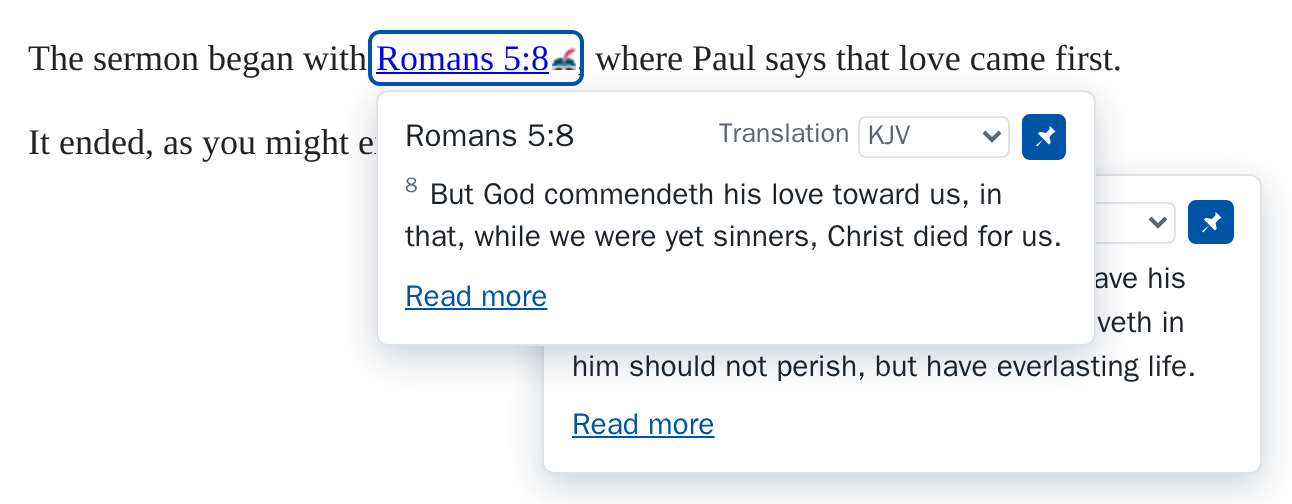
Unpinning
Click the pin again, or press Esc while you're in the tooltip or on its link; that closes just that one. A tooltip always opens unpinned.